Does this beginner guide cover combat or builds?
No. There is no combat system on the Steam page. Play is click, talk, switch, and combine.

Moomin Midsummer Madness beginner guide: click hotspots, switch Little My, combine bag items, then use hints or Skip. Steam 4463520. November 2026.
Click, switch, and first-hour cozy play.
~5 min read
This Moomin: Midsummer Madness beginner guide is for Steam app 4463520 — Moomin: Midsummer Madness by Crossbridge Game Studios, published by Shochiku, also on Nintendo Switch and Switch 2. The first hour is one loop: click a hotspot, talk, switch to Little My when a gap or climb blocks you, pick up an item, combine two bag objects if the recipe needs it, then use the result on scenery. There is no skill tree, no combat loadout, and no codes page.
Work Chapter 1 until that loop is muscle memory, then trust the notebook when the flood starts. Verified November 15, 2026 against Launch week · Steam app 4463520 · Steam.
| Fact | Detail |
|---|---|
| Platform | Windows Steam · Nintendo Switch · Switch 2 |
| Genre | Point-and-click adventure · cozy puzzle |
| Mode | Single-player |
| Price | Paid · $19.99 list · launch −10% (check live store; sale listed through late Nov) |
| Release | November 12, 2026 official / SteamDB; Steam listing also shows Nov 11 |
| Playable | Moomintroll and Little My |
| Help | Built-in hint system; some minigames offer Skip |
| Not this game | Roblox codes · Midsummer Madness (other Steam app) · 1954 novel text dump |
| Verified | November 15, 2026 |
A Moomin: Midsummer Madness beginner guide starts on the cursor, not in a shop tree. Point-and-click here means: move to a screen, hover until a hotspot highlights, then inspect, talk, or pick up. On-screen prompts change by platform. Controller buttons you see in someone else’s screenshot are not PC key bindings — follow the prompt on your device.
The notebook records the current goal. Public recaps describe Moomintroll and Little My writing objectives so you can leave a room and come back without guessing. Open it when you feel stuck before you click every bush twice.
| Action | What it does | Fail if |
|---|---|---|
| Inspect | Reads flavour or reveals a pickup | You skip inspect and miss a rock or matches |
| Talk | Advances a request or hands an item | You leave a character mid-request |
| Take | Puts an object in the bag | You try to use a world prop that is not yet inventory |
| Notebook | Shows the current chapter goal | You wander after the flood without rereading it |
| Switch | Changes the active body | You keep clicking a gap Moomintroll cannot enter |
Store copy calls the puzzles beginner-friendly. That still assumes you obey the prompt. If a recap says “pull the rope” and your HUD shows a different verb, do the HUD. Next in this Moomin: Midsummer Madness beginner guide: who to play as.
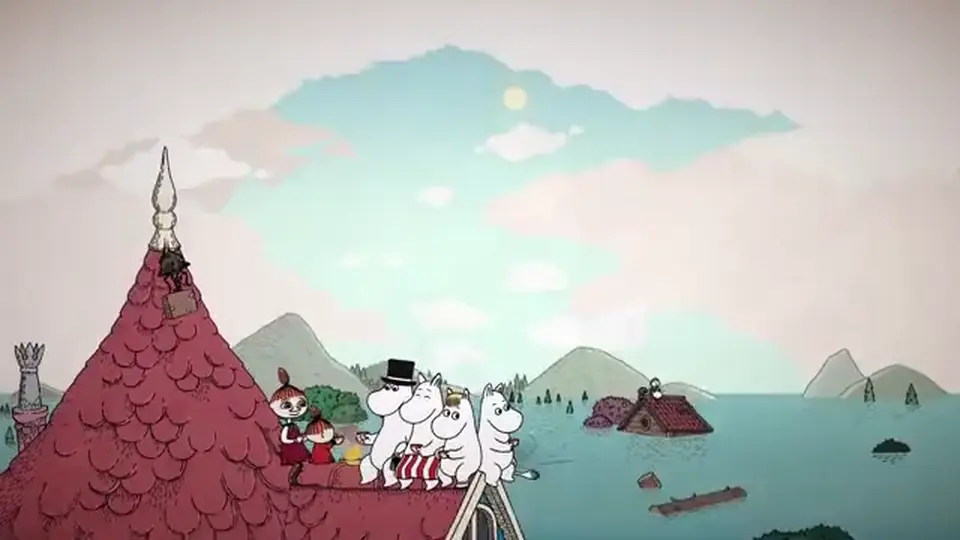
Official pages say some characters squeeze into tight spaces and some handle water better. In practice, Little My is the climb / box / see-saw / tight-gap body. Moomintroll handles most adult-height talks and heavier scenery. Leave ladders, buckets, and stacked furniture in place before you swap — Chapter 1’s flower and Chapter 2’s coffee cups both punish taking the climb tool down too early.
Switch is not a combat stance. If a page promised classes or damage types, it is the wrong game.

When control passes from Little My to Moomintroll at the pond in Chapter 1, walk him back to the rope instead of exploring a new screen first. The bucket drop is the point of the swap. The same pattern repeats in the theater: My rides a fan or a box, then you swap back to deliver an item.
Matched by build plan, shared topics, and guide progression — not random related links.
Two bag objects can combine (paintbrush + washed colour + tablecloth → dress; mirror + fishing rod → catfish tool; coins + coat → buttons). Using an item on the world is a second action (bucket on the ankle ring in the pond; matches on the theater door; newspaper on the Hattifattener). If a combo “does nothing,” you are probably targeting scenery with an unfinished bag recipe.
Keep unfinished ingredients. Chapter 4’s three paint mixes each need white paint plus a different colour source. Using all the white paint on one child blocks the other two.
| Pattern | Example | Where |
|---|---|---|
| Bag + bag | Brush + cloth → dress | Chapter 1 |
| Bag + world | Bucket on pond ring | Chapter 1 |
| Switch then bag | My climbs, then hands flower | Chapter 1 |
| Tool then pickup | Pitchfork on honey box | Chapter 4 |
| Skip instead | Boat board / attic mazes | See minigames |
The store lists an accessible hint system so the story stays relaxing. Use it when the notebook goal is clear but the hotspot is not. Skip appears on selected minigames (model boat, attic box mazes, frog chase, and others). Skip continues the chapter; it is not the board solution and it may block Jack of All Games if that trophy needs a real clear — treat that interaction as Unverified until you watch the achievement pop.
A Moomin: Midsummer Madness beginner guide should not shame hints. The game is sold as all-ages. If you want every board, stay on the minigames page instead of Skip.
Clicking every prop in a room that the notebook already finished. Taking the ladder down before Little My climbs. Combining on scenery instead of in the bag. Hunting Discord codes that do not exist. Mixing this title with Snufkin: Melody of Moominvalley or the 1954 novel’s page order.
When you are actually stuck on a named chapter, leave this beginner page. Chapter 3 has its own storm/barometer guide. The six-chapter walkthrough is the next sequential read.
Next: follow the six-chapter walkthrough in order, then open Chapter 3 if the theater is the wall.
No. There is no combat system on the Steam page. Play is click, talk, switch, and combine.
No. This wiki has no /codes route.
Follow on-screen prompts. Recap screenshots often show a controller; those buttons are not PC binds.
Open the walkthrough.
Matched by build plan, shared topics, and guide progression — not random related links.